Google Android App Development: A Guide to Building Modern Apps
Google Android app development involves designing, building, testing, and publishing applications for devices that run Android. The platform supports a wide range of phones, tablets, watches, TVs, cars, and other connected devices, giving businesses and developers many ways to reach users.
Whether you’re planning a new product or updating an existing app, a successful Android project starts with a clear understanding of your audience, goals, and the tools available in Google’s development ecosystem.
What Is Android App Development?
Android app development is the process of creating software for devices powered by the Android operating system. Developers can build apps for consumer services, business operations, entertainment, education, finance, and many other fields.
Google provides tools, libraries, documentation, and distribution services to support the process. Android apps are commonly written in Kotlin or Java, with Kotlin recommended by Google for new Android projects. Developers typically use Android Studio, Google’s official integrated development environment, to write code, design interfaces, run emulators, and troubleshoot apps.
Key Tools and Technologies
- Android Studio: The official development environment for creating and managing Android projects.
- Kotlin: A modern programming language with concise syntax and strong support for Android development.
- Java: A widely used language that remains relevant for maintaining and extending many existing Android apps.
- Jetpack Compose: Google’s modern toolkit for building native Android user interfaces with Kotlin.
- Android Jetpack: A collection of libraries and guidance that helps developers build more maintainable apps.
- Firebase: A Google platform offering services such as analytics, crash reporting, authentication, and cloud-based features.
- Google Play Console: The service developers use to prepare and manage app releases on Google Play.
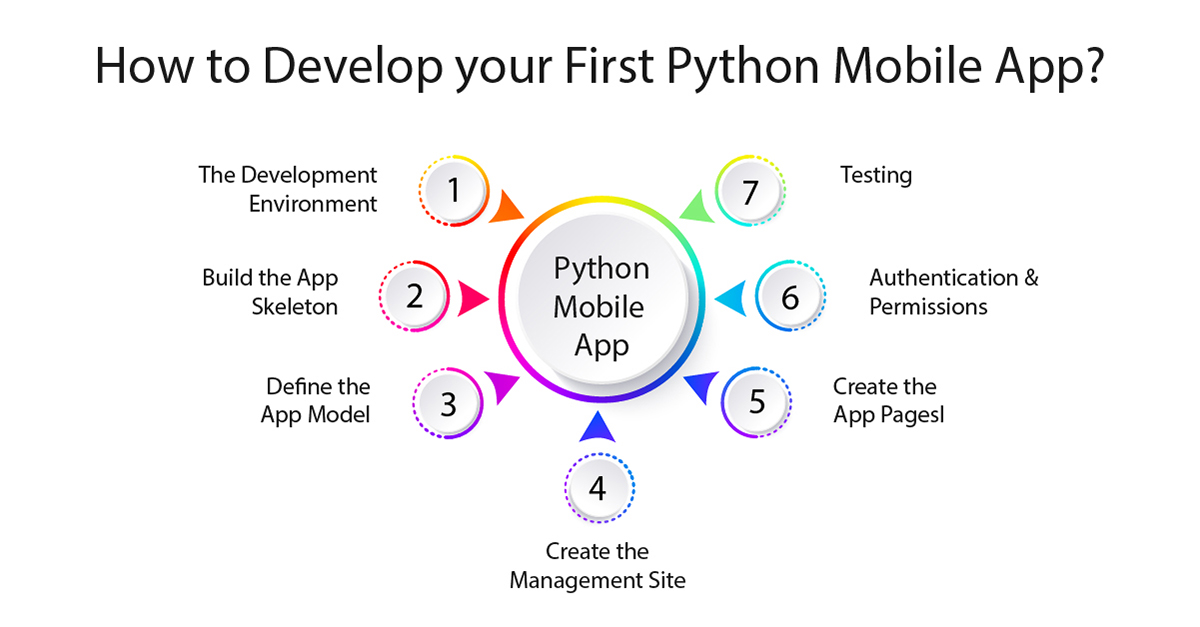
Steps in the Android App Development Process
Define the App’s Purpose
Begin by identifying the problem the app will solve and the people it will serve. Define its core features, business objectives, and measures of success. A focused first release can help teams test assumptions before investing in a larger feature set.
Plan the User Experience
Map out how users will move through the app, from onboarding to its main features. Consider accessibility, readability, different screen sizes, and familiar Android interaction patterns. Wireframes and prototypes can help teams identify usability issues before development begins.
Choose an Architecture and Technology Stack
Every app needs a structure that supports its features and future updates. Developers choose how to organize the user interface, business logic, and data, and whether the app needs a backend service or integrations with other systems. Kotlin and Jetpack Compose are common choices for new native Android projects, while existing apps may use Java, XML layouts, or a mix of technologies.
Build and Integrate Features
Development may include account creation, search, payments, notifications, maps, offline access, or connections to third-party services. Teams should build features with security, reliability, and maintainability in mind. They should also request only the device permissions the app genuinely needs.
Test Across Devices
Android devices vary in screen size, hardware, operating-system version, and manufacturer customizations. Testing should cover a representative range of devices and include functional, usability, performance, and security checks. Android Studio’s emulator can help with early testing, while testing on physical devices can reveal issues that simulations may not catch.
Prepare and Publish the App
Before release, developers prepare the app’s store listing, screenshots, content information, and release build. Google Play has policies and technical requirements that apps must meet. Teams should review the current guidance in Play Console, test the release carefully, and plan how they will respond to user feedback and future updates.
Important Considerations for a Successful App
- Performance: Keep startup times, animations, and data usage in mind, especially for users with older devices or slower connections.
- Accessibility: Design interfaces that work well with screen readers, adjustable text sizes, and other accessibility features.
- Privacy and security: Protect sensitive information, use secure network connections, and explain data practices clearly.
- Device compatibility: Plan for different screen sizes and supported Android versions.
- Maintainability: Use clear code, automated tests, and a sensible update process to make ongoing improvements easier.
- Analytics and feedback: Use appropriate tools to understand app performance and prioritize improvements based on real user needs.
Native Development or Cross-Platform Development?
Native Android development uses Android-focused tools and technologies, such as Kotlin, Android Studio, and Jetpack Compose. It can provide direct access to Android features and a platform-specific user experience.
Cross-platform frameworks can help teams build for Android and other platforms from a shared codebase. The right approach depends on project requirements, team expertise, desired user experience, performance needs, and long-term maintenance plans. The best choice is the one that fits the product—not simply the one with the shortest path to an initial release.
Conclusion
Google Android app development combines product planning, interface design, programming, testing, and ongoing improvement. By choosing suitable tools, focusing on user needs, and treating security and quality as essential parts of the process, teams can create Android apps that are useful, dependable, and ready to grow.
Google Android App Development FAQs: Best Tools, Preferred Languages, Getting Started, and Certification
- Which Android App Development is best?
- What is Google’s preferred language for Android app development?
- Can I develop my own Android app?
- How to become a Google Android developer?
- Is Google Android certification worth it?
- Can I build an app with Google?
Which Android App Development is best?
The best approach to Android app development depends on your project’s goals, budget, and target platforms. For an Android-only app, native development with Kotlin, Android Studio, and Jetpack Compose is often a strong choice because it offers direct access to Android features and tools. If you plan to launch on both Android and iOS with a shared codebase, cross-platform frameworks such as Flutter or React Native may be a better fit. Consider your app’s performance needs, required features, development team’s experience, and long-term maintenance before choosing.
What is Google’s preferred language for Android app development?
Google’s preferred language for Android app development is Kotlin. It is concise, interoperable with Java, and supported by Android Studio and Google’s Android development tools. Java is still widely used, especially in existing apps, but Kotlin is generally recommended for new Android projects.
Can I develop my own Android app?
Yes, you can develop your own Android app, even if you’re new to programming. Google’s Android Studio provides tools for writing, designing, and testing apps, and Kotlin is a popular language for getting started. Begin with a simple idea, follow Android development tutorials, and test your app with an emulator or a physical device. If you want to publish it on Google Play, you’ll also need to meet the store’s current requirements.
How to become a Google Android developer?
To become an Android developer, learn Kotlin and the fundamentals of programming, then practice building apps with Android Studio, Google’s official development environment. Study Android app design, Jetpack Compose, data storage, networking, accessibility, and testing through Google’s Android developer documentation and hands-on courses. Build a portfolio of projects, publish an app on Google Play if appropriate, and keep learning as Android tools and platform requirements evolve. If you mean becoming a developer employed by Google, you’ll also need to meet the qualifications for a specific Google role and apply through Google Careers.
Is Google Android certification worth it?
Google Android certification can be worth it if you’re new to Android development or want a structured way to build and demonstrate your skills. It may help you learn relevant tools and concepts, strengthen your résumé, and provide a useful credential when applying for entry-level roles. However, certification alone doesn’t guarantee a job or prove practical experience. Employers often value a portfolio of completed apps, solid Kotlin and Android fundamentals, and the ability to solve real development problems. Consider the cost, time commitment, and recognition of the specific program before enrolling.
Can I build an app with Google?
Yes, you can build an Android app using Google’s development tools and services. Android Studio is Google’s official development environment, and it includes tools for writing code, designing interfaces, testing apps, and preparing releases. Developers commonly use Kotlin or Java, along with resources such as Jetpack libraries and Firebase. Google Play Console can help you publish and manage an app on Google Play, though you’ll need to meet its current requirements and policies.