Agile for Non-Software Teams: A Practical Guide
Agile is often associated with software development, but its core ideas can help teams in many fields. Marketing, human resources, education, operations, product design, and customer service all deal with changing priorities, complex work, and the need to deliver useful results. Agile offers a flexible way to organize that work, learn from feedback, and adapt as circumstances change.
What Does Agile Mean Outside Software?
Agile is not a specific project-management tool or a set of meetings. It is an approach to work built around collaboration, short cycles, frequent feedback, and continuous improvement. Instead of planning every detail far in advance and waiting until the end to assess the result, a team breaks work into manageable pieces, shares progress, and adjusts along the way.
For a non-software team, an “iteration” might be a week of campaign planning, a trial run of a new onboarding process, or a small improvement to a customer-support workflow. The work does not need to produce software. It needs to produce something the team can review and learn from.
Why Agile Can Work for Non-Software Teams
Many teams work in environments where priorities shift and information is incomplete. A traditional plan may become outdated before the work is finished. Agile helps teams respond to change without abandoning structure. It makes work visible, encourages regular conversations, and creates opportunities to catch problems earlier.
- Better focus: Teams choose a manageable amount of work instead of trying to tackle everything at once.
- Earlier feedback: Stakeholders can review progress before a project is fully complete.
- Greater transparency: Team members can see what is planned, in progress, and blocked.
- More adaptability: Teams can revise priorities when new information or needs emerge.
- Continuous improvement: Regular reflection helps teams improve how they work, not just what they produce.
How Agile Might Look in Different Fields
Marketing
A marketing team could plan a campaign in short cycles. Rather than creating a large campaign plan and waiting until launch to evaluate it, the team might test a small set of messages or content formats first. Feedback and performance data can then inform the next round of work.
Human Resources
An HR team updating its employee onboarding process could begin with a pilot for one department. After gathering feedback from new hires and managers, the team can refine the materials and process before expanding it across the organization.
Education
Educators can use agile practices to develop lesson materials collaboratively, try an activity with a class, and adjust it based on student responses. Short planning and review cycles can make it easier to share ideas and address challenges as they arise.
Operations
An operations team working to reduce delays might identify one part of a process to improve, test a change on a limited scale, and review the results. This reduces the risk of making a large change before the team understands its effects.
Agile Practices to Try
Make Work Visible
Use a simple board with columns such as “To Do,” “In Progress,” and “Done.” A physical whiteboard or a digital tool can work. The goal is to make priorities, progress, and bottlenecks easy to see.
Limit Work in Progress
Starting too many tasks at once can slow everything down. Agree on how much work the team can handle at a time, and finish existing tasks before taking on more whenever possible.
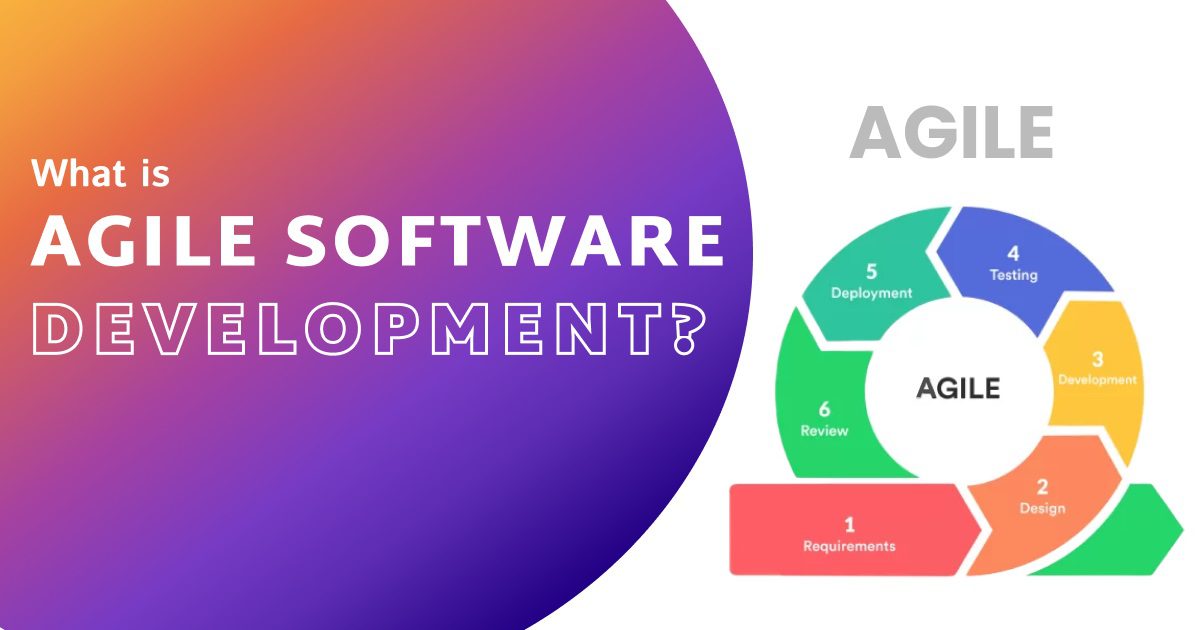
Plan in Short Cycles
Choose a short planning period, such as one or two weeks. At the start, agree on a realistic set of priorities. At the end, review what was completed, what changed, and what should happen next.
Hold Brief Check-Ins
A short, regular check-in can help the team coordinate. Each person can share what they are working on, what they plan to do next, and whether anything is blocking progress. These conversations should help solve problems, not become status reports for their own sake.
Ask for Feedback Early
Share drafts, prototypes, process maps, or partial results with the people who will use or be affected by the work. Early feedback is usually easier to act on than feedback received after a project is complete.
Reflect and Improve
At the end of a cycle, discuss what went well, what was difficult, and what the team wants to change. Keep the conversation specific and choose one or two practical improvements to try next.
Agile Is Not the Same as “No Planning”
A common misconception is that agile means working without plans or deadlines. In practice, agile teams plan frequently, but they treat plans as something that can be updated when new information appears. The team still needs clear goals, ownership, and realistic expectations. The difference is that planning happens throughout the work rather than only at the beginning.
Agile also does not mean every task must move quickly or that teams should constantly change direction. Stable priorities can be valuable. The aim is to respond thoughtfully when change matters, while protecting the team from unnecessary disruption.
Common Challenges
- Too many meetings: Keep meetings short and focused, and make sure each one supports a clear purpose.
- Unclear priorities: Agree on what matters most and who can make priority decisions.
- Using tools without changing habits: A task board alone will not improve collaboration. Teams also need open communication and regular review.
- Trying to copy a software framework exactly: Practices should fit the team’s work. Adapt terminology, meeting schedules, and cycle lengths as needed.
- Measuring activity instead of results: Counting tasks or meetings can be misleading. Focus on whether the work solves a real problem or delivers useful value.
Getting Started
Begin with one team and one visible area of work. Identify a recurring challenge, such as unclear ownership, long approval times, or projects that receive feedback too late. Create a simple board, choose a short planning cycle, and agree on a small set of priorities. At the end of the cycle, review both the results and the process.
There is no need to adopt every agile practice at once. The most effective approach is to start small, learn from experience, and keep the practices that help the team deliver better work.
Conclusion
Agile can be useful well beyond software development because its central ideas apply wherever people collaborate on work that may change over time. By making work visible, delivering in manageable steps, inviting feedback, and improving regularly, non-software teams can become more responsive and effective. Agile is not a formula to follow blindly; it is a practical mindset that teams can adapt to their goals and context.
7 Agile Tips for Non-Software Projects: Boost Efficiency and Adaptability
- Work in short, time-boxed cycles.
- Break big goals into small tasks.
- Prioritize work by value and urgency.
- Check in often and remove blockers.
- Share drafts early to get feedback.
- Adjust plans as needs change.
- Reflect after each cycle and improve one thing.
Work in short, time-boxed cycles.
Working in short, time-boxed cycles helps non-software teams make steady progress without committing to a rigid plan for too long. Choose a set period—such as one or two weeks—and agree on a realistic amount of work to complete during that time. At the end of each cycle, review what was accomplished, gather feedback, and adjust priorities for the next one. This approach makes it easier to spot problems early, respond to changing needs, and keep projects moving forward.
Break big goals into small tasks.
Break big goals into small, manageable tasks so your team can make steady progress and see what needs attention. A clear task is easier to assign, complete, and review than a broad goal like “improve customer service.” For example, you might begin by reviewing recent customer feedback, identifying common issues, and testing one change to the support process. These smaller steps make progress visible, help teams spot problems early, and make it easier to adjust priorities as they learn.
Prioritize work by value and urgency.
Prioritize work by considering both its value and urgency. Value reflects how much a task contributes to your team’s goals or benefits customers, while urgency indicates how soon it needs attention. Handle work that is both valuable and time-sensitive first, and schedule important but less urgent tasks before they become critical. This approach helps non-software teams focus their time, respond to real deadlines, and avoid letting low-impact requests crowd out meaningful work.
Check in often and remove blockers.
Check in with your team regularly to understand what’s moving forward and where people may be stuck. Keep these conversations brief and focused on support—not surveillance. When a blocker comes up, work together to remove it, whether that means clarifying priorities, getting a decision, or connecting someone with the right resources. Addressing obstacles early helps the team maintain momentum and deliver work more smoothly.
Share drafts early to get feedback.
Share drafts early so teammates, stakeholders, and users can offer feedback while changes are still easy to make. A rough outline, sample design, or early version of a process can reveal unclear assumptions and missed needs before the team invests too much time in polishing it. Treat feedback as a way to improve the work, not as a final judgment, and use what you learn to guide the next step.
Adjust plans as needs change.
Adjust plans as needs change by checking priorities regularly and responding to new information, feedback, or unexpected challenges. Instead of treating the original plan as fixed, use it as a guide that can be updated as the team learns more. This helps non-software teams stay focused on the most important work while avoiding time spent on tasks that no longer meet current needs.
Reflect after each cycle and improve one thing.
After each work cycle, take a few minutes to discuss what went well, what caused friction, and what the team learned. Then choose one practical change to try in the next cycle, such as clarifying task ownership or sharing drafts earlier. Focusing on one improvement at a time keeps the process manageable and helps the team build better habits through steady progress.